First steps
Learn how to install and configure the app SonarQube Connector for Confluence.
Install SonarQube Connector for Confluence
Open the SonarQube Connector for Confluence listing on Atlassian Marketplace. Select your Confluence deployment and follow the Marketplace prompts to start a trial or purchase a license.
Set up SonarQube Connector for Confluence Cloud
You must be a Confluence administrator to configure SonarQube connections.
Open the SonarQube Connector settings to configure up to five connections.
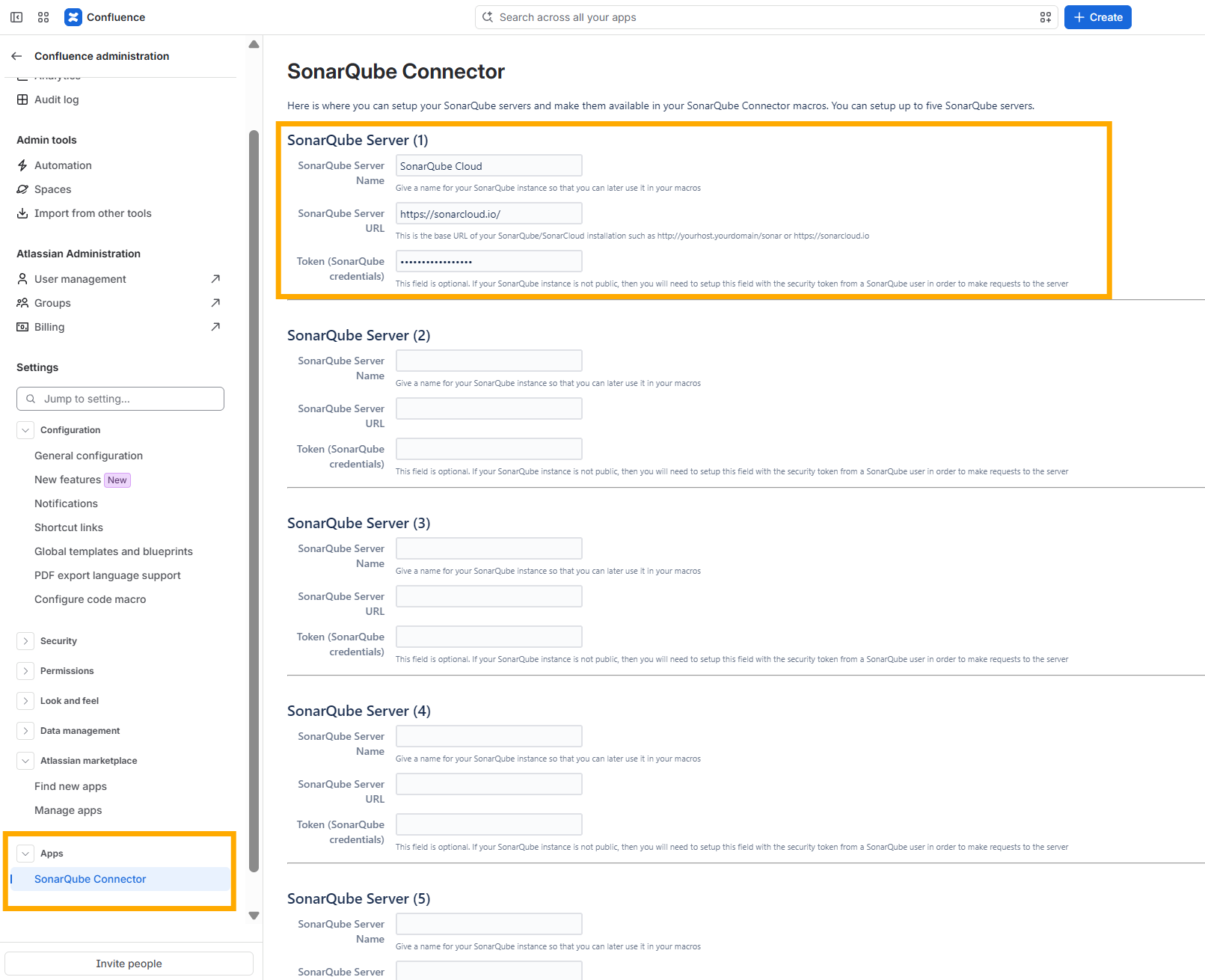
Enter these details for each connection.
- SonarQube Server Name. Choose the name that users will see when they configure a macro.
- SonarQube Server URL. Enter the base URL reachable from the connector. A default local SonarQube Server installation uses
http://localhost:9000. For SonarQube Cloud, use https://sonarcloud.io. - Token. For a private instance or project, enter a SonarQube user token from an account with access. See Managing SonarQube tokens.
HTTPS in self-managed Confluence
If you run Confluence on your own infrastructure and SonarQube Server uses a certificate from a private certificate authority, you may need to add that certificate to the Confluence trust store.
See the Atlassian instructions for connecting to SSL services.