Team Contribution for Jira CloudVisualise team time and contributions by project.
Discover how your teams’ time and effort is distributed across Jira tasks. With this app, you can see how much time each team member has spent on a task or project. You can view this information directly within the work item or in a custom dashboard.
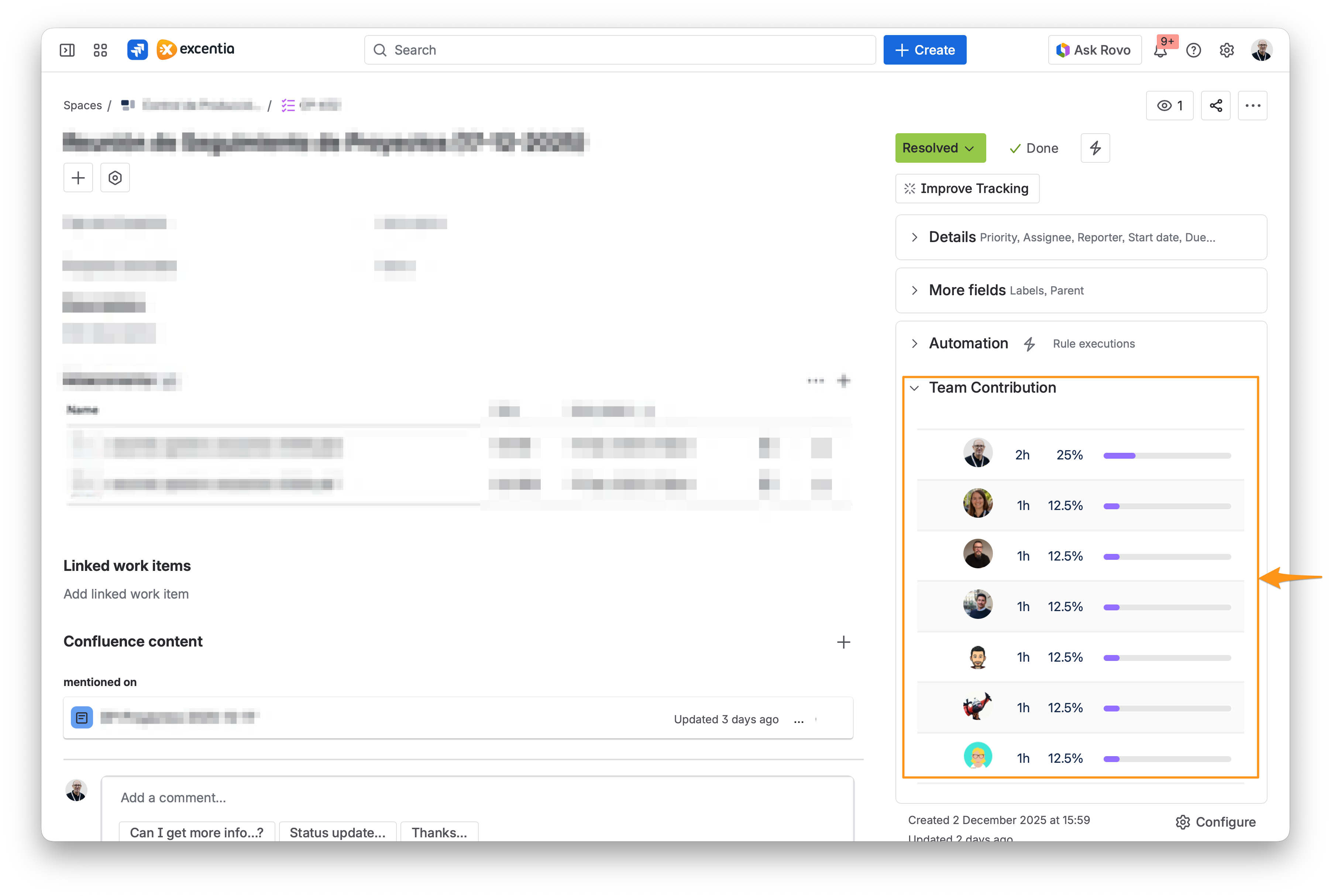
Here we outline the key features of the Team Contribution for Jira Cloud app and its functionality.
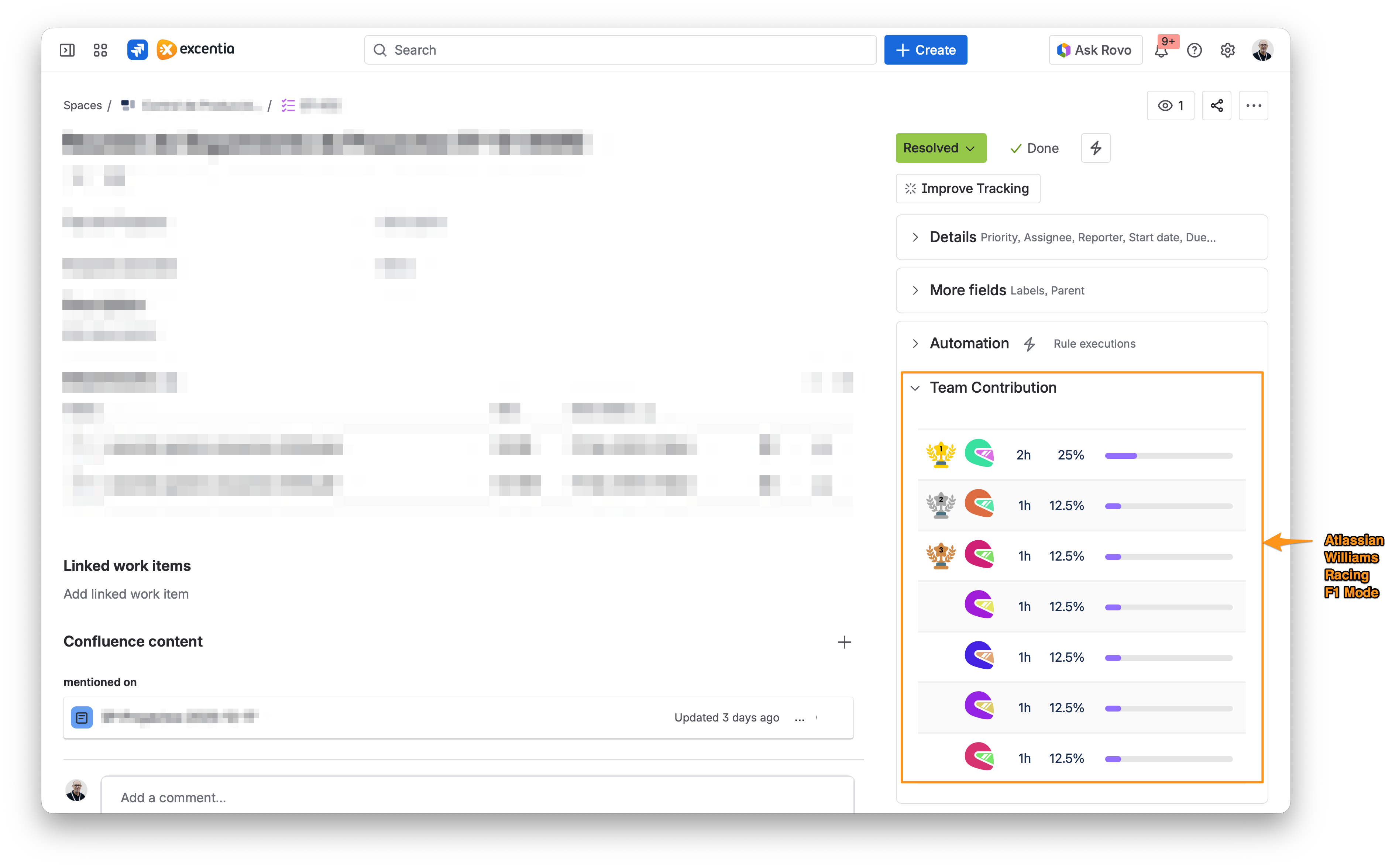
View the time logged by each team member directly within Jira issues and instantly identify who is actively working on each task. If you prefer a cleaner or anonymised dashboard, you can hide user names. In that case, only avatars, logged hours, percentages and progress bars are shown. Names remain available as tooltips on hover.
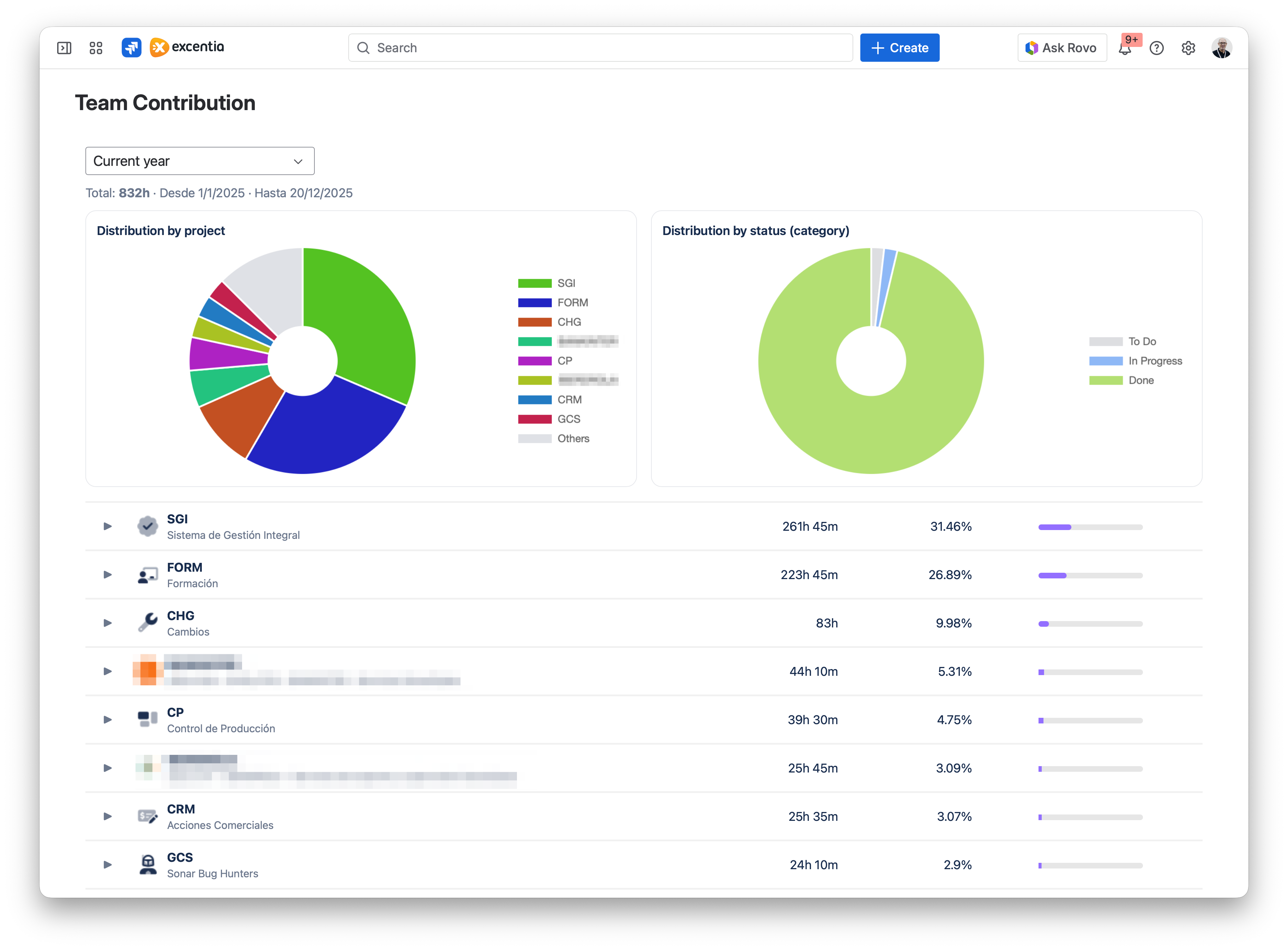
Monitor your contributions across different projects through a personal dashboard with visual charts and donut-style diagrams. Easily analyse how your work is distributed, detect patterns in your activity, and understand at a glance which projects and tasks you are spending the most time on.
Activate an F1-themed visualisation in the contribution panel. Replace user avatars with colourful helmets, display trophy icons for the top 3 contributors (gold, silver and bronze), and automatically assign colours to each helmet.